Software development

Software development that carries your business

We retire legacy systems step by step and connect scattered tools. We bring convincing prototypes into daily operation.

Studio shot on dark slate: on the left a stack of mismatched cardboard boxes held together with tape, loose cables spilling out, on the right the same volume built from identical white modules with neatly routed black cables, an orange line of light between them.AI-GENERATED
Illustration, AI-generated: from the improvised stack to identical modules. Not a photograph from a project.

Does this sound familiar?

Take as an example a wholesaler whose order processing has run on an in-house built system for years and who soon needs to issue e-invoices. Choose the situation closest to yours, and the page adapts the route and the calculation to match.

What we build for it
A step-by-step replacement: modules move over one at a time, and old and new run in parallel for a while.
An interface, an automation or a custom web application, depending on where the data gets stuck today.
A production-ready application built from the existing build, with tests, roles and permissions and a controlled release process.
Where the route starts
In the Clarify stage: we record systems, interfaces and data flows.
Usually straight at the click-through prototype, because the workflow is already clearly described.
In the Rollout stage, after a short review of code, data and operations in the Clarify stage.
See the route

Which solutions fit these situations

We build applications, interfaces and automations where standard software fits only with workarounds. Every tile leads to a project, a case study or one of our own applications that shows this.

Illustration: four machined blocks in a row on light stone, three in aluminium and one in orange, connected by a black cable that leads into a stack of yellowed continuous-feed printouts.AI-GENERATED
Insight · Buy, extend, build

Retiring legacy systems step by step

First it becomes clear what can be bought, extended or newly built. Then modules move over one at a time, and old and new run in parallel until both deliver the same result.

Try the decision
Project · Nomad X Collective

Web applications and portals

For Nomad X Collective, an admin backend, a vendor panel and a storefront were built on one shared data layer. Partner brands maintain their own products in their own panel.

  • Admin backend for running the platform.
  • Vendor panel for partner brands.
  • Storefront for shopping.
View project
Case study · CardConnect AI

Interfaces and automation

CardConnect AI turns a photo of a business card or a voice note into a CRM entry. Contact details no longer need to be retyped after an event.

  • Text recognition reads the card.
  • Speech recognition turns the note into text.
  • A language model creates or updates the CRM entry.
View case study
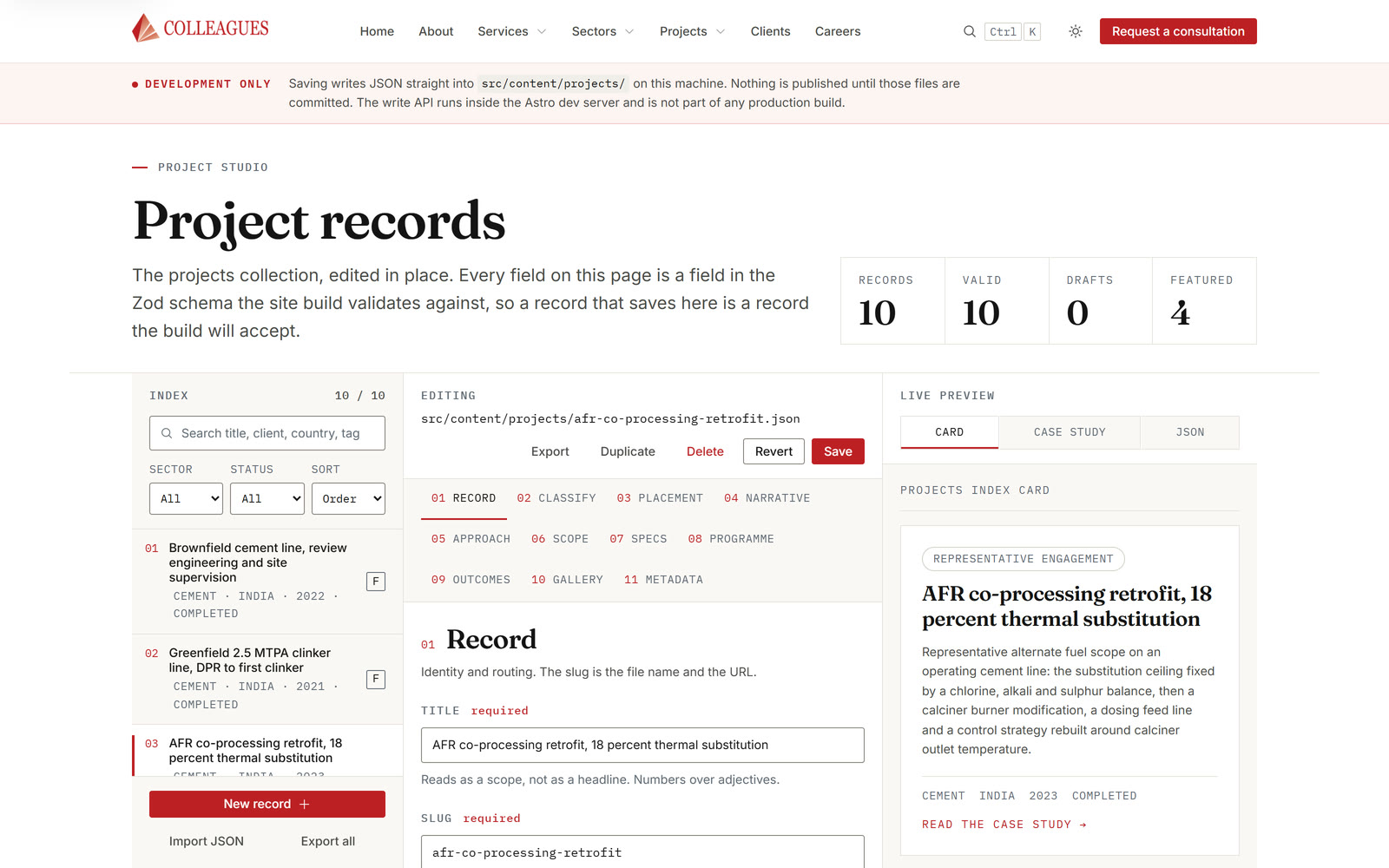
Screenshot of the local editing interface: a list of records, a form and a preview side by side, with counters for records, valid entries and drafts above.
Project · Industrial presence

Websites and editing built from data

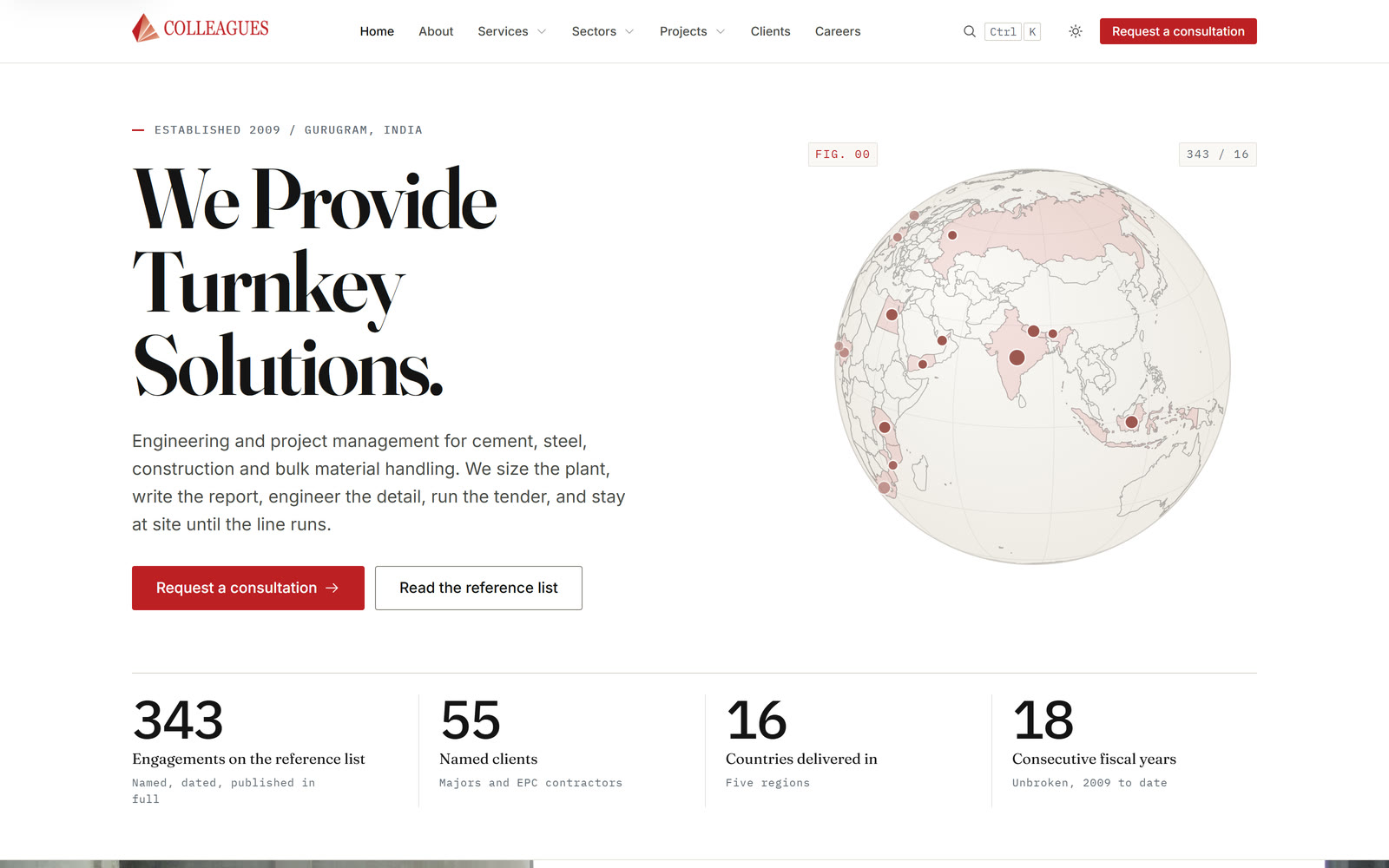
For the industrial presence built for Colleagues Consultants, the website and the brochure are generated from the same content files. The editing tool checks every field against the same schema the page generation uses.

View project
Project · E4RTH

Platforms with special requirements

For E4RTH, a blockchain platform for sustainability investments was built, with smart contracts, wallet integration and KYC checks on investors.

  • Smart contracts for tokenised shares.
  • Wallet integration for investors.
  • KYC checks before the investment.
View project
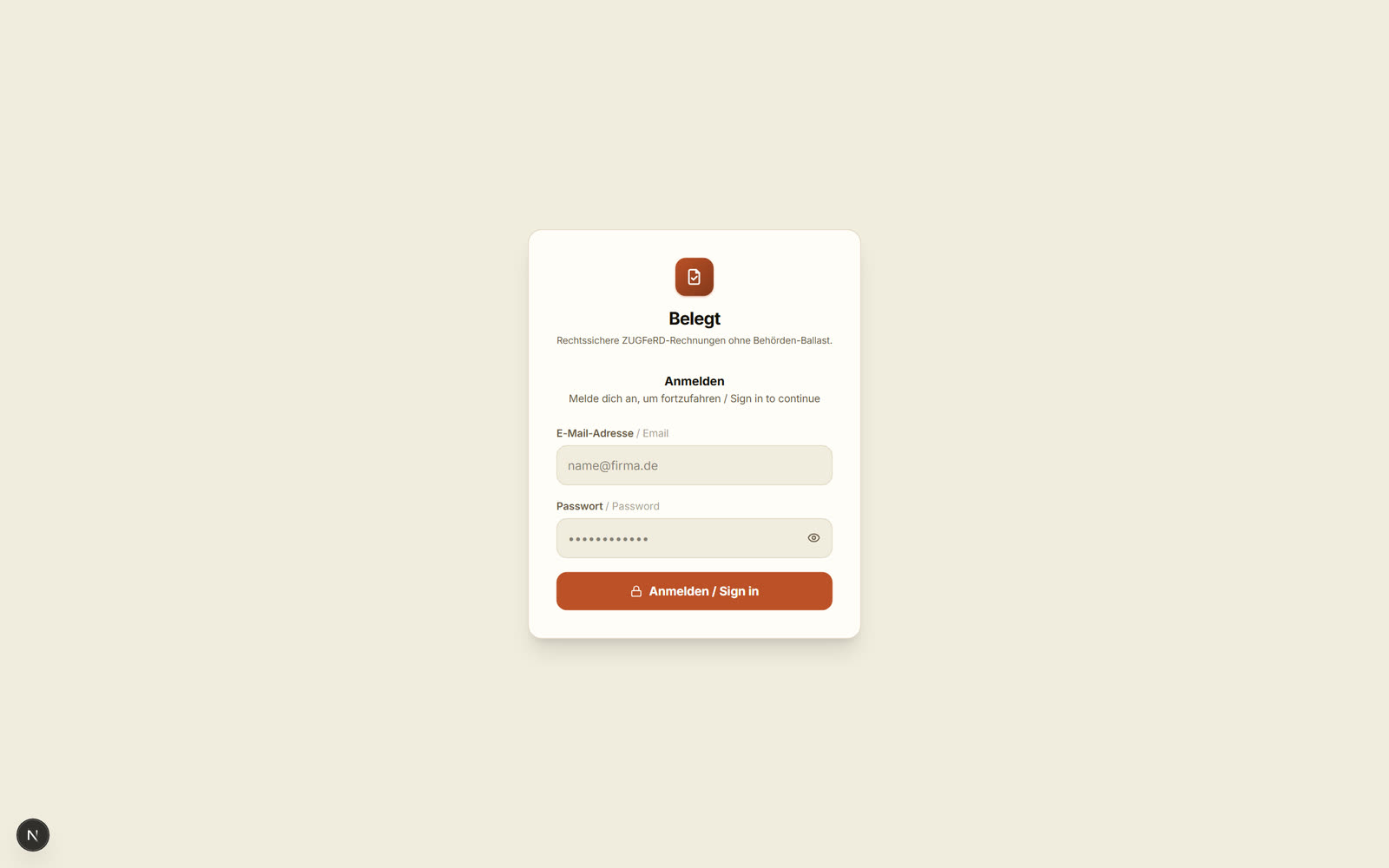
Sign-in screen of the Belegt application: logo, the name Belegt and a subline about ZUGFeRD invoices, below it the heading Sign in with fields for email and password.
R&D Lab · Belegt

Internal tools

Belegt generates e-invoices to the ZUGFeRD standard on its own server and checks twenty named rules before generating one, among them rules from EN 16931. It is one of our own applications from the R&D Lab.

View the write-up

What does double entry cost you each year?

In the wholesaler's example, orders move from emails into the legacy system, and invoice data moves from there into accounting. Enter your own figures, and the page calculates how many hours an interface or automation could take over.

transactions

Example value. Count every manual transfer, including copying out of emails.

minutes

Example value. Opening, retyping, checking and saving together.

percent

Example value, deliberately cautious. Special cases and approvals stay with people.

percent

Example value. Enter 0 if you have no figure of your own.

minutes

Example value. Finding, clarifying and correcting an error.

weeks

Example value after deducting holidays and public holidays.

EUR

Destatis, whole economy 2025: EUR 45.00 per hour worked.1 Enter your own rate.

EUR

The page only calculates a payback period if you enter an amount.

For the wholesaler, most transfers happen between order intake, the legacy system and accounting.

Count every point where data moves from a spreadsheet or email into another program.

Count the transactions that today are still handled by hand alongside the prototype.

Hours per year an interface or automation could take over

317hours

Value of these hours
14,283EUR
Full-time positions
0.17

That is roughly as much as one full-time employee works in 8.0 working weeks.

Enter your own budget, and the calculation here will show after how many months it breaks even.

Worked example with your inputs, not a forecast.

How the calculation works
  1. Hours per year = transactions per week × working weeks × share × (minutes per transaction + error rate × minutes per correction) ÷ 60
  2. Value in EUR = hours per year × labour cost per hour
  3. Full-time positions = hours per year ÷ (39.9 weekly hours × working weeks)
  4. Working weeks of a full-time employee = hours per year ÷ 39.9 weekly hours (Destatis, 2025)2
  5. Months to payback = budget ÷ (value in EUR ÷ 12)

The calculation assumes that automated transactions need neither retyping nor corrections from the manual transfer.

How shortcuts in code cost time later is described in the guide Technische Schulden in KI-generiertem Code erkennen (in German).

Route from A to B

Four stages from legacy to a running application

This is how a project usually runs. After each stage you decide whether and how to continue, and the highlighted stage shows where most projects with your starting point begin.

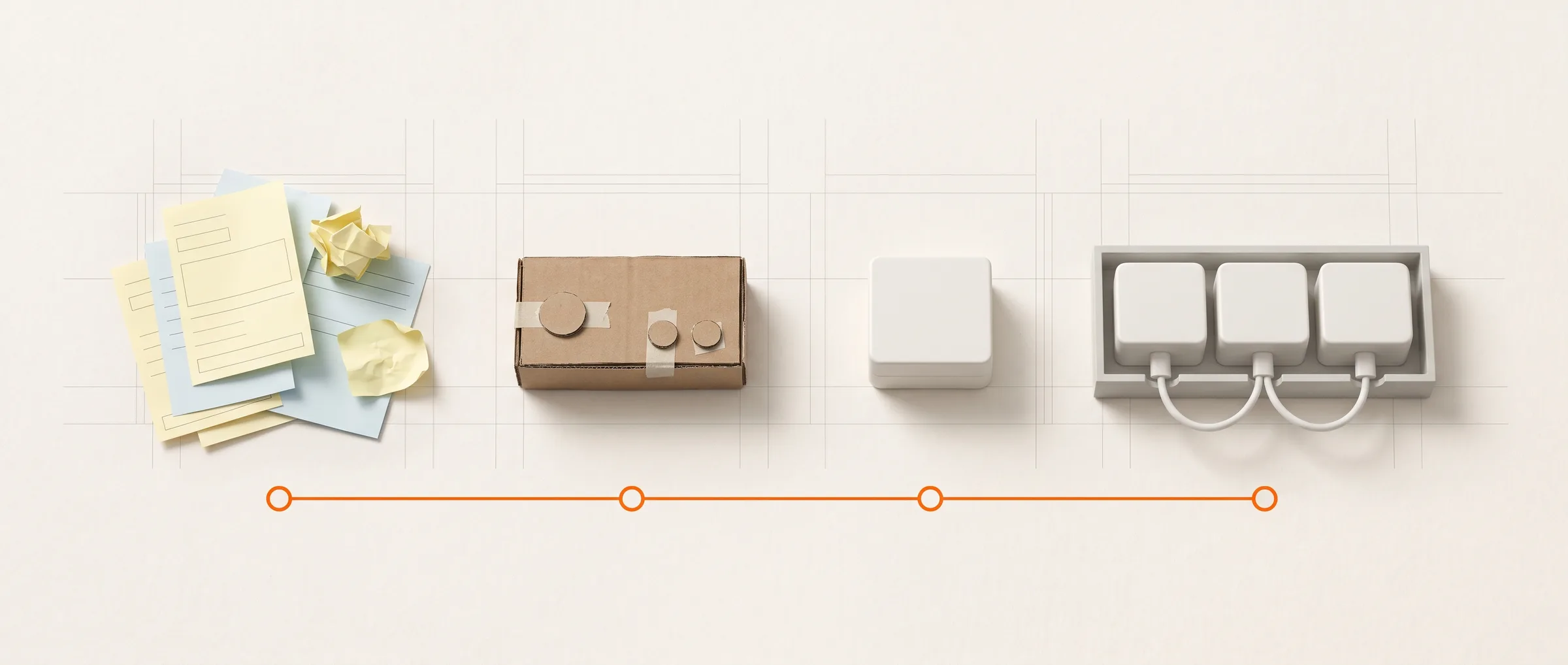
Four stations on light paper, connected by an orange line: loose forms and sticky notes, a flat cardboard model of a control panel with glued-on buttons, the same part made of white plastic, and three such parts wired into a flat frame.AI-GENERATED
Illustration, AI-generated: from the note to the click-through prototype to the connected system.
  1. Clarify

    Most projects with this starting point begin here

    We record systems, interfaces and data flows and recommend whether you buy, extend or build.

    Deadlines often set the pace: the transitional rules for invoices on paper or in other electronic formats end in late 2026 and late 20273, and the NIS-2 Implementation Act has applied since 6 December 20254.

    If the workflow is clearly described, work begins with a click-through prototype, and Clarify stays short.

    With an existing prototype, Clarify usually consists of a short review of code, data and operations.

    Typical durationDays to weeks, depending on scope

    DecisionWhich route, which workflow comes first, and which effort range?

  2. Prototype

    Most projects with this starting point begin here

    A click-through prototype makes the workflow operable, and a technical spike shows that the core workflow works with your systems.

    A working build already exists, so a new prototype is usually unnecessary.

    Typical durationA few weeks, depending on scope

    DecisionBuild it out, adjust the scope, or reconsider the route.

  3. Rollout

    Most projects with this starting point begin here

    The application goes live with tests, roles and permissions, data is migrated, and your team is trained.

    Typical durationWeeks to months, depending on scope

    DecisionSign-off for going live and, for a staged replacement, which module moves over next.

  4. Operation and expansion

    Most projects with this starting point begin here

    Your team or a provider of your choice operates the application, and further workflows are added if you wish.

    ScopeAs you need it

    DecisionWhich workflow comes next.

Typical deliverables at each stage

This is what a project usually looks like in files and milestones. Which deliverables apply to you, we decide together in the Clarify stage.

Clarify

The basis for deciding how you begin.

  • Document

    System inventory

    Records modules, interfaces, data flows and hard dependencies, so decisions rest on figures.

  • Document

    Buy, extend or build recommendation

    Compares the three routes against your needs and names what to consider with each.

  • Document

    Estimate range

    States the effort as a range and names the open questions that still widen it.

  • Document

    Sketch of the migration plan

    Arranges modules into stages, so old and new can run in parallel for a while.

Prototype

An operable build of your core workflow.

  • Prototype

    Click-through prototype

    Lets future users operate the workflow before the business logic is programmed.

  • Code

    Technical spike of a core workflow

    Shows on a real workflow that data arrives between your systems.

  • Document

    Described interfaces

    Fix the format, direction, error case and ownership of every connection.

Rollout

The application in your team's daily work.

  • Code

    Production application with tests, roles and permissions

    Carries the workflow day to day, with access only for the people who need it.

  • File

    Data migration

    Brings existing data into the new system, checked.

  • Document

    Deployment description

    Describes how the application is deployed, backed up and restored.

  • Training

    Onboarding

    Familiarises users and operations with the application and its workflows.

Operation and expansion

The basis for taking the application further.

  • File

    Handover package

    Source code, documentation, tests and an operations description, with which your team or a provider can continue the work.

  • Code

    Further development on request

    Adds further workflows or modules on the same foundation.

  • Top-down view on light paper: a grey ring binder, an open white hard-shell case with grey foam, a coiled black cable and three blank white cards, the binder and case connected by an orange line.AI-GENERATED
    Illustration, AI-generated: documentation, handover and connection.

Buy, extend or build it yourself?

Whether the wholesaler from the example buys a standard product, extends it or builds it themselves is the first decision in the Clarify stage. The matrix turns six inputs into a requirement for each criterion and shows where an option falls short of it.

Demonstration · requirement against profile, 3 options, 5 criteria Without JavaScript, the starting state stays in place
Matrix: three options against five criteriaColumns standard software, standard plus extension and custom development, rows Fit to the process, Rollout effort, Adaptability, Dependency on the vendor, Operating effort. Each cell shows the option's fixed profile as up to five filled fields and an orange mark for your requirement. Highlighted: Standard plus extension. Standard software meets 3 of 5, Standard plus extension meets 5 of 5, Custom development meets 3 of 5.Standard software3 of 5 metStandard plus extension5 of 5 · RecommendationCustom development3 of 5 metFit to the processRequirement 3 of 5short by 1met, headroom 1met, headroom 2Rollout effortRequirement 2 of 5met, headroom 3met, headroom 1short by 1AdaptabilityRequirement 3 of 5short by 2metmet, headroom 2Dependency on the vendorRequirement 2 of 5metmetmet, headroom 3Operating effortRequirement 3 of 5met, headroom 2metshort by 2
  • Option profile (fixed)
  • Gap between profile and requirement
  • Your requirement from the inputs

Scale 1 to 5: higher means more favourable for you (better fit, less effort, less dependency)

This calculation recommends Standard plus extension, because this option meets 5 of 5 criteria. Worth keeping in mind: every new version of the standard product has to be tested together with your extensions.

Recommendation
Extension
Criteria met
5of 5
Tightest spot
Adaptabilityno headroom
Second-best option
Standard3 of 5

How the matrix is calculated

  • Requirement per criterion from 1 to 5; fit corresponds to how custom the workflow is.
  • Rollout: 3 for 20 users, 2 for up to 150, 1 above that; plus 1 without your own IT.
  • Adaptability: 1, 2 or 3 by how often rules change, plus 0, 1 or 2 by requirements.
  • Vendor: 1, plus 1 per interface bracket of 4, plus 1 under strict requirements.
  • Operations: 5 without your own IT, 3 with partial capacity, 1 with your own team.
  • Fixed profiles (fit, rollout, adaptability, vendor, operations): standard 2, 5, 1, 2, 5; extension 4, 3, 3, 2, 3; custom build 5, 1, 5, 5, 1.
  • Met when the profile reaches the requirement. Recommended: most criteria met, then the smallest gap total, then less effort.

By default, the extension option comes out ahead; for the wholesaler that could be a purchased invoicing program that pulls order data from the legacy system through an interface.

All figures are calculation results of this page, not project figures, and the matrix does not calculate cost.

Projects

Projects you can read about in detail

Nomad X Collective, the industrial presence and E4RTH were built for clients, and CardConnect AI is described as a case study. Every card names a figure from the linked page.

Screenshot: Nomad X Collective. The photography belongs to the partner brands.
Project, Berlin

Nomad X Collective

Starting point
As late as mid-2025, the shop ran on standard shop software built for a single retailer, but the business behind it bundles many independent brands with their own stock and shipping.
Implementation
An admin backend, a vendor panel and a storefront were built as three connected systems over one shared data layer, with import from existing shops and approval before publication.
What it shows
Where standard software only fits with retyping, a custom platform carries the workflow from order to refund.
  • 3systems on one data layer
  • 6states in the order cycle
  • 5areas in the vendor panel
View project

How the collaboration usually works

We build the software; the knowledge about your workflows sits within your company. These are the points where the two come together.

How a project runs, with the contributions of both sides
StepWhat happensYour contribution
First conversationWe talk about the workflow, the systems involved and the deadline that is pressing.A contact person from the business unit who knows the workflow day to day.
ClarifyWe record systems, interfaces and data flows.Access to the legacy system and sample data, as far as data protection and contracts allow.
PrototypeWe define which workflows the new solution must carry first.A list of the workflows that must work, with their special cases.
RolloutWe build in interim versions your team can operate.Feedback on the interim versions from the business unit.
Operation and expansionWe bring the application into operation and hand it over.A person or a provider who takes responsibility for operations afterwards.

Does custom software fit your project?

A good fit if

  • The workflow is a core part of your business, and standard software fits only with workarounds.
  • The data sits in several systems and is currently brought together by hand.
  • There is a person responsible for the workflow who can make decisions.

Less of a fit if

  • A standard product covers your needs almost completely.
  • There is no one in the company responsible for the new application.
  • You are looking for design work only, without development.

Frequently asked questions about software development

When does custom software pay off compared with standard software?

Custom software pays off when the workflow sets you apart from others, rules change often, or many interfaces exist to legacy systems. For workflows that run the same everywhere, a well-maintained standard product usually carries further. In between sits standard software with targeted extension, as the matrix above shows.

How do you replace a legacy system without a risky cut-over date?

You replace it in stages. First, edge modules with few dependencies move over, old and new run in parallel for those modules, and a front interface routes requests to the responsible system. That keeps what can go wrong on any single day limited.

What does the e-invoicing obligation mean for existing systems?

Under section 27(38) of the German VAT Act (UStG), invoices between domestic businesses may still be transmitted on paper or in other electronic formats during a transition period: for revenue from 2025 and 2026 until the end of 2026, for revenue from 2027 until the end of 2027 only below the law's revenue threshold or via EDI. A legacy system that generates invoices needs structured invoice data by then. Which deadline applies to you is something your tax advisor can clarify.

How reliable is an estimate before the first click-through prototype?

As a range it is useful, as a single figure hardly at all. Before the prototype, scope, special cases and third-party systems are usually described but not verified. With every interim version that users operate or a third-party system confirms, the range narrows.

Your own server or the cloud?

Both are possible; what matters is data, operations and dependency. The Nomad X Collective platform stores images in cloud storage in the eu-central-1 region, while Belegt is self-hosted instead, and receipt data never leaves the building. Both approaches can be built so that a later switch stays possible.

Can an application someone else built be developed further?

Yes, provided the source code and access exist. The first step is a review: can the application be built, are there tests, are interfaces and the data model described? From that follows whether continuing to build, stabilising or gradually replacing makes sense, including for no-code or AI-generated builds.

Can we develop the software further ourselves later on?

Whether that succeeds is decided during the build. Handover usually includes source code, documentation, tests and an operations description, with which your team or a provider of your choice can continue the work. The more widespread the technology used, the more teams can carry an application forward.

Does every new application need AI?

No, many tasks first need a clean data model, interfaces and an operable interface. A language model pays off with language and unstructured documents, for instance when a business card or a voice note should become a CRM entry.


Sources

  1. Statistisches Bundesamt (Destatis, the Federal Statistical Office of Germany), press release no. 148 of 29 April 2026: "Eine Arbeitsstunde kostete im Jahr 2025 durchschnittlich 45,00 Euro" (an hour of work cost EUR 45.00 on average in 2025). https://www.destatis.de/DE/Presse/Pressemitteilungen/2026/04/PD26_148_624.html
  2. Statistisches Bundesamt (Destatis), press release no. N035 of 27 May 2026: "Vollzeitbeschäftigte arbeiteten 2025 im Schnitt 39,9 Wochenstunden" (full-time employees worked 39.9 hours a week on average in 2025). https://www.destatis.de/DE/Presse/Pressemitteilungen/2026/05/PD26_N035_13.html
  3. Umsatzsteuergesetz (the German VAT Act), section 27(38), gesetze-im-internet.de, accessed 13 September 2026. https://www.gesetze-im-internet.de/ustg_1980/__27.html
  4. Bundesamt für Sicherheit in der Informationstechnik (BSI, the German Federal Office for Information Security), press release "Cybersicherheitsrecht: NIS-2-Umsetzungsgesetz ab morgen in Kraft" (cybersecurity law: the NIS-2 Implementation Act takes effect tomorrow), 5 December 2025. https://www.bsi.bund.de/DE/Service-Navi/Presse/Pressemitteilungen/Presse2025/251205_NIS-2-Umsetzungsgesetz_in_Kraft.html

Next step

Which deadline is pressing for your legacy system?

Where does your team type data twice?

Your prototype runs, but not yet in daily operation?

Describe the workflow, the existing systems and the number of users, and we will discuss which module goes first, as with the wholesaler in the example.

Describe the programs and spreadsheets between which data travels, and we will discuss whether an interface, an automation or a custom application fits.

Show us the current build, whether a demo, a workflow or outsourced development, and we will discuss what is still missing before it can go live.

Guides on the way into operation (in German): Vom Prototyp zur produktionsreifen Anwendung, Vom Proof of Concept in den Regelbetrieb: die technische Übergabe, Eine Anwendung im eigenen Haus betreiben: was im Alltag dazugehört, Der Fachbereich hat eine App gebaut: was die IT vor der Übernahme prüft, Vom n8n-Workflow oder Streamlit-Skript zur betreibbaren Anwendung, Mit Lovable, Bolt oder Replit gebaut: diese Punkte sind wahrscheinlich offen, Technische Schulden in KI-generiertem Code erkennen, Was Studien über die Qualität KI-generierten Codes zeigen, KI-Werkzeuge im Entwicklungsteam freigeben: welche Leitplanken es braucht, Wer haftet, wenn KI-generierter Code Schaden anrichtet?, Muss ich KI in meiner Anwendung kennzeichnen?, Softwareentwicklung nach Regionen

Clayton Christensen

“Disrupt yourself before someone else does.”