

Vellum
A document scanner that does its work on the phone
Edges, perspective, light and text are all worked out on the phone. A document leaves the device only when someone sends it.
- servers a page passes through
- 0
- GPU pass for warp and tone together
- 1
- image modes in the same shader
- 11
- edge detectors: viewfinder and still
- 2
Live demo
Find the edges, flatten the page, read the text
Simplified model in the browser, not a screen recording of the product.
The demo shows the on-device steps in simplified form: a coarse grid finds the page edges, the corners are fitted, a homography straightens the page, the light is evened out, and recognised lines end up as an invisible text layer in the PDF.
The upload counter stays at 0 B throughout. Move the pointer over the scene, click to take the shot and drag the orange corner into place. It is a simplified illustration of the sequence, not the app itself.
Why this is published
We build document AI and advise on where data is allowed to live. Vellum shows the part of that work that comes before any model: preparing an image so that it can be read, and doing it where the document already is. That takes image processing whose accuracy is measured rather than estimated, and the discipline of testing on real hardware, because that is where defects appear that no browser finds. Anyone planning to process sensitive documents without a detour through someone else's servers can see here how we build that kind of thing.
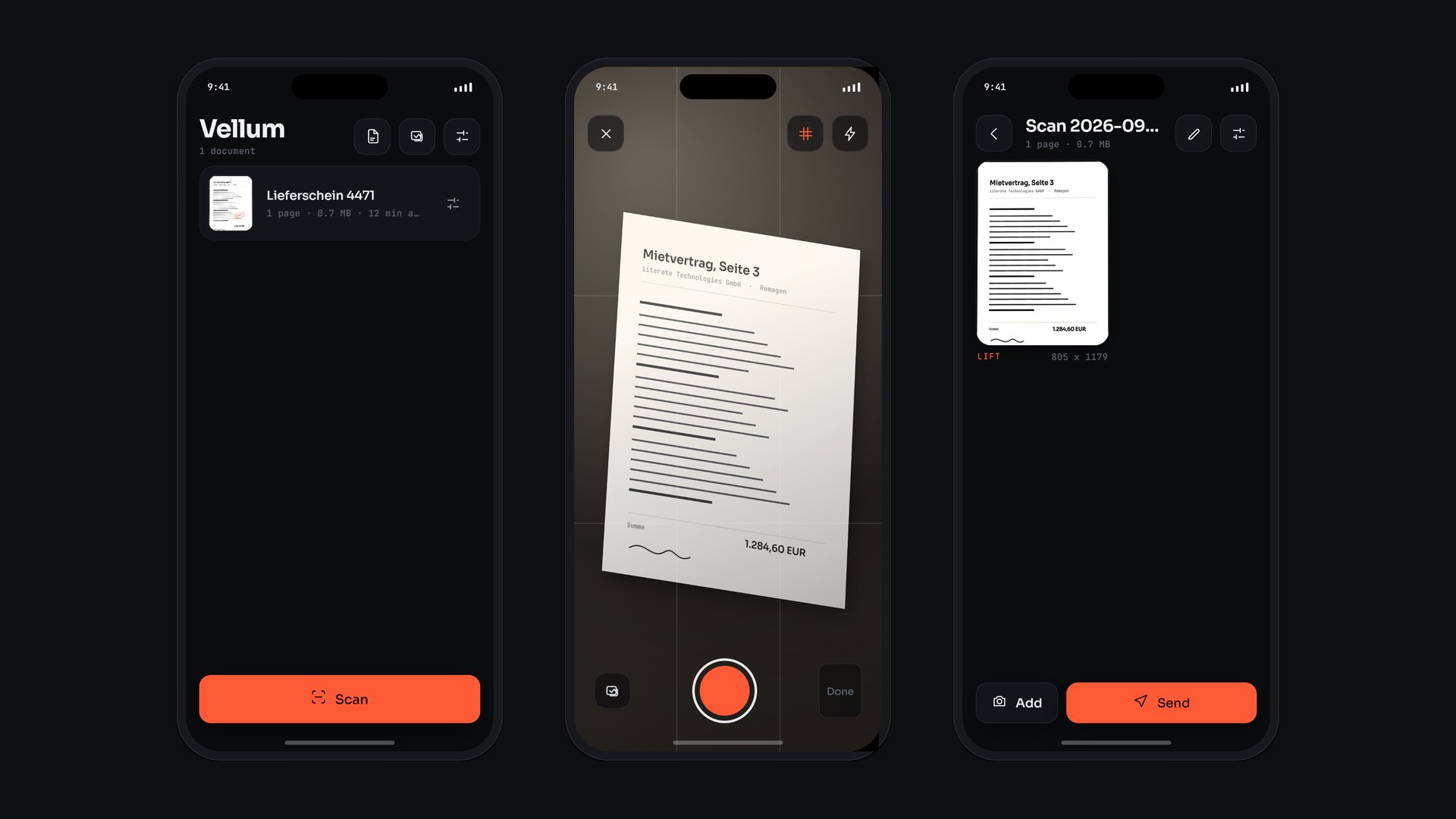
A scanner photographs documents people would rather not hand over: contracts, delivery notes, ID cards. Vellum finds the page edges while they are still in the camera frame, corrects the perspective through a homography, evens out light and contrast in a fragment shader on the GPU, and recognises the text on the phone. There is no server that a page passes through along the way. PDFs and images leave the device through the operating system's own share sheet, which means only when someone taps send themselves. The app is built with Expo and React Native; an Android build is currently being tried out on an emulator and on a phone.
The decision
The phone is already where the document is
The first question put to this scanner was not how well it finds edges, but where a page goes while it does. A server that prepares images and reads text is quick to build. It is also one more place where contracts, ID cards and delivery notes sit, with every question that comes with that: who has access, for how long, in which country. So Vellum has none. Detection, warping, tone correction and text recognition run on the phone.
Almost every later decision follows from that one. The perspective correction is a homography in a fragment shader, not a call to a service. Text recognition writes an invisible text layer into the PDF, at the position of every recognised line, and makes the library searchable without the text ever being uploaded. Sending means the mail app or the operating system's share sheet opens with the file attached, and a person taps send.
The price of that should be named plainly. Everything that needs a server is deliberately absent: sync between devices, share links, translation, text recognition in the cloud. Unattended sending does not exist either, because every send goes through a person. And the computing power is the phone's, so every step has to fit inside its budget.
What never leaves the device does not sit in a second place.
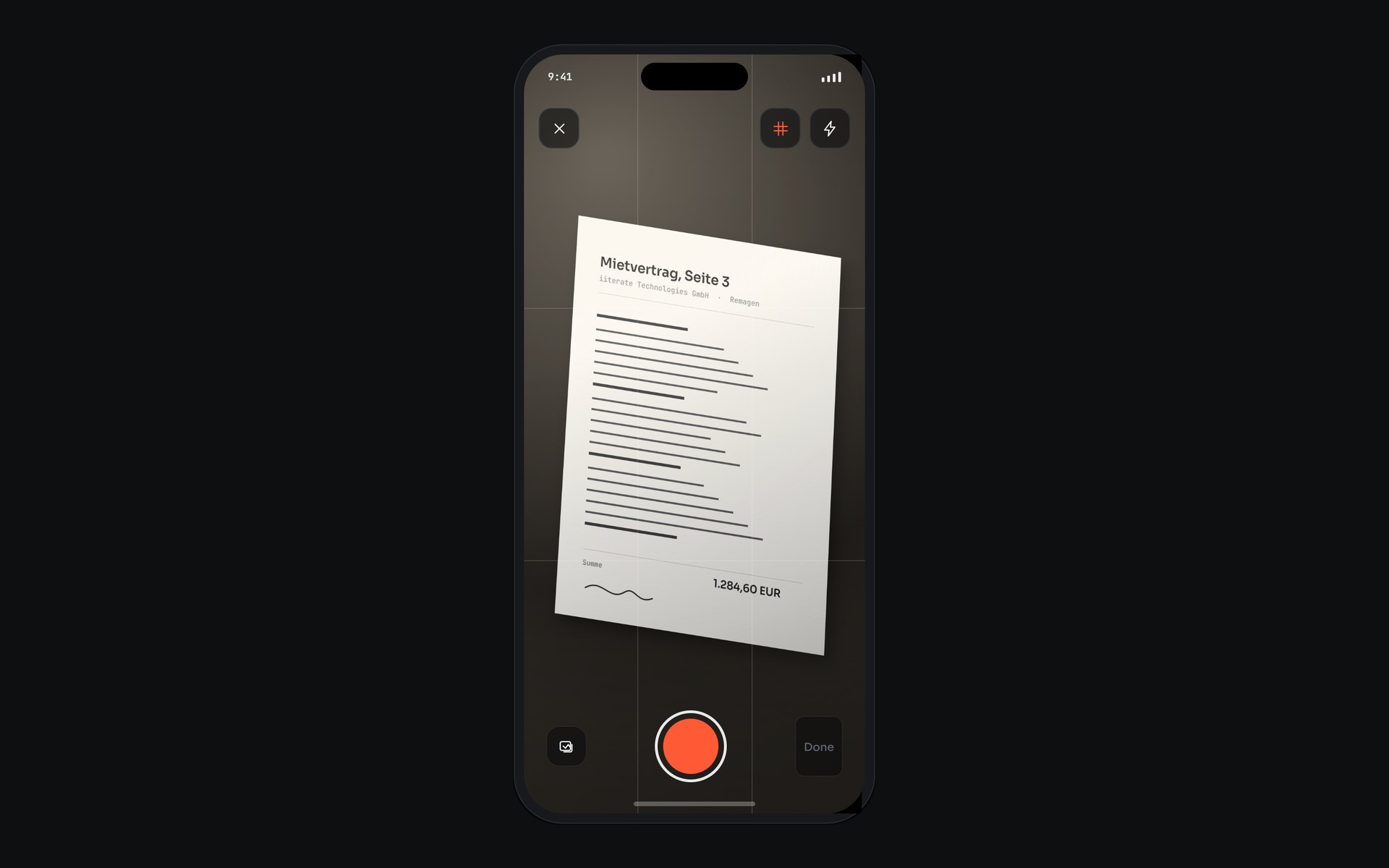
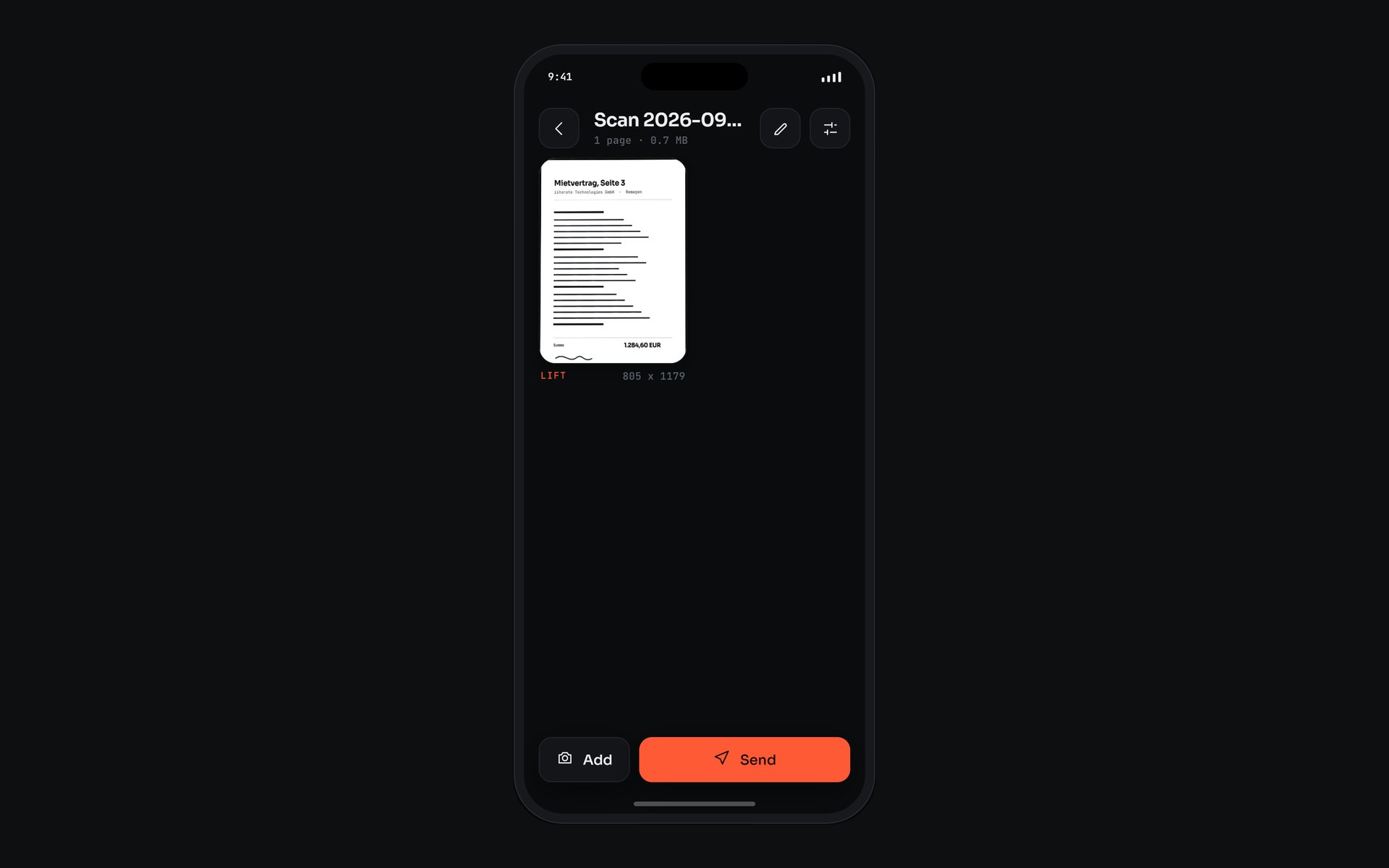
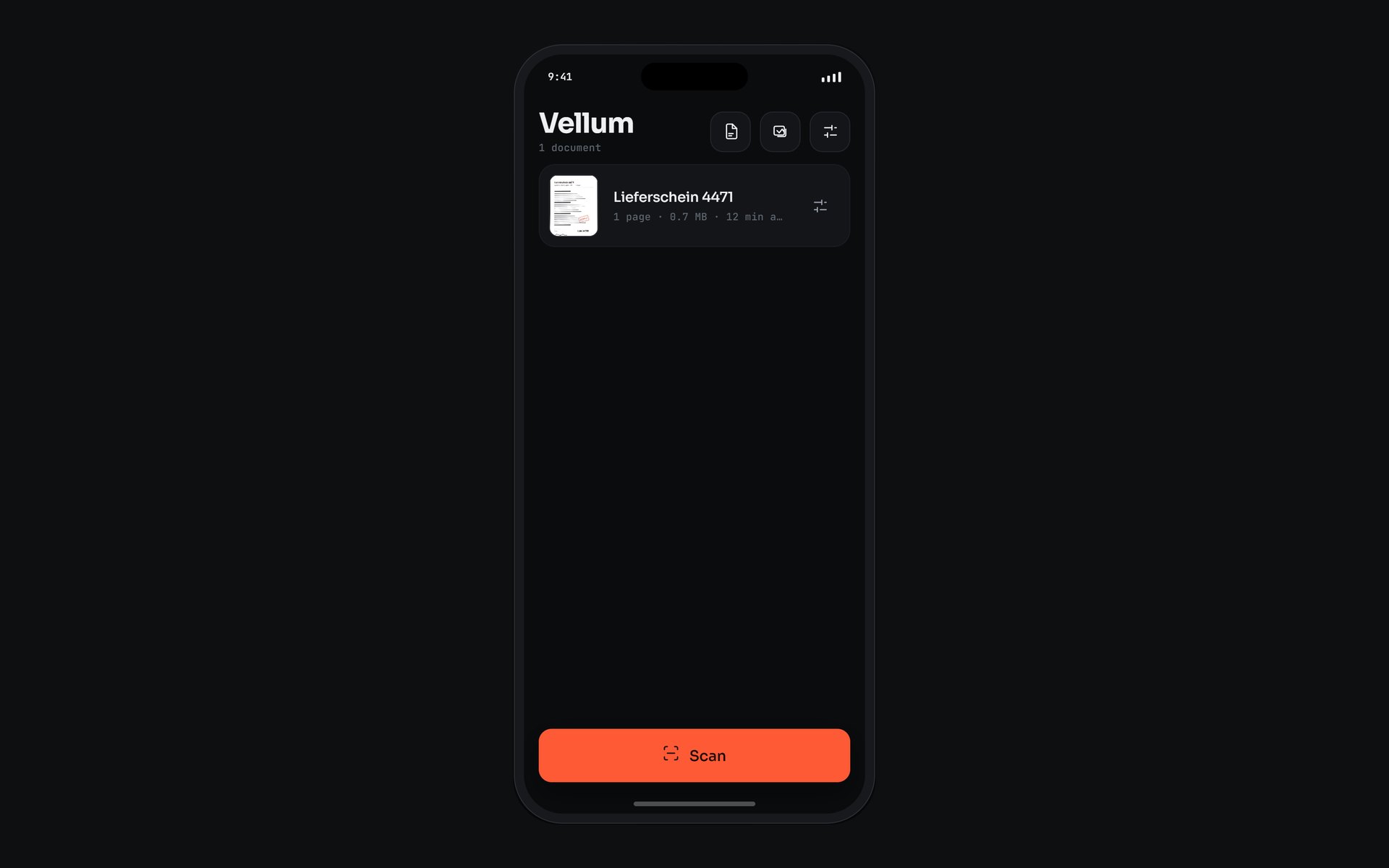
Three app screens: library, viewfinder, finished page
How a page is made
From the camera frame to a searchable file
- 01
Edges in the viewfinder
On every camera frame a worklet reads the brightness plane on a coarse grid, and only the part the screen actually shows. That yields an outline which is smoothed and held for a few missed frames. The corners can be dragged before the shot.
- 02
Corners after the shot
On the photo a more thorough detector searches: an Otsu threshold, connected regions, only boundary cells on a real step in brightness, then one line per side fitted by least squares. If it finds nothing, the whole frame is used and the corners are set by hand. By default a corner review follows.
- 03
Warp and even out the light
A single GPU pass. The shader maps every output coordinate back into the photo through the homography and samples there. It estimates paper white from two downscaled copies of the photo, so every brightness value is relative to the paper, wherever the lamp stands.
- 04
Recognise the text
Text recognition runs on the device. From the direction of the recognised lines the app reads whether the page needs turning and how far it is tilted, and corrects both through the corner list. If the lines do not agree, the page stays as it is.
- 05
PDF and sending
The pages become a PDF with an invisible text layer, or individual images. A size target lowers JPEG quality first and resolution only after that. The file goes out through the mail app or the operating system's share sheet.
It searches only what you can see
The preview fills the screen, but the camera frame has a different aspect ratio. On a tall phone roughly a third of every frame therefore lies outside the screen. As long as the detector searched that third as well, it could place a corner somewhere nobody saw and nobody could drag. Both detectors now search only the visible area.
The second cause of a misplaced edge was a bright area beside the page, such as a pool of lamplight, merging with the paper into one blob. Since then every side of the outline is judged by whether a real step in brightness runs across it. A pool of light fades out softly; a paper edge does not.
Both detectors have a measurement harness that reports the corner error on a fixed set of test pages against independently determined reference values. Every change is measured before and after.
What is fixed on the device
- Redaction changes pixels
- Redacted areas are shader uniforms and are painted into the page bitmap during rendering. Nothing remains underneath the black box afterwards, and every later export carries the redaction. The limit of twelve boxes per page is the size of that array.
- Signatures never become a file
- A signature is held as a vector path in the operating system's protected storage and drawn into the PDF as a path. The share sheet only receives files from the export folder, so it has no route to the stored signature.
- Text as an invisible layer
- Every recognised line is written invisibly into the PDF at its own position. The file stays a picture of the page and becomes selectable and searchable at the same time.
- The original stays beside the page
- The original capture is kept next to every rendered page. Corners, image mode, rotation and redaction therefore stay editable, because every correction is computed afresh from the original. That costs twice the storage per page.
- A self-test inside the app
- In the settings, a bundled test page photographed at an angle runs through detection, warping, a check against black output, the row order, orientation and text recognition, with timings and a copyable report. The app logs its own failures on the device.
After the shot, everything stays editable
The document view shows every page with its image mode and output size. From here any page can be reworked: dragging corners, with a magnifier that jumps to the opposite side so a fingertip never hides the corner, and choosing an image mode from a strip that shows every mode as a small preview of the current crop.
Rotating, re-setting the corners and splitting a book spread at the fold are changes to the corner list of the same original, not edits to pixels. The spread needs no second photo for that. Pages can also be moved, retaken and merged with another document.
What the test rig proves, and what only the device shows
Provable in the browser
- The geometry of edge detection, because the rig runs the same detector.
- The tone of every image mode, because the same GLSL ES 1.00 shader runs on WebGL.
- A bright seam along the page edge, caused by an outline chosen very slightly too large.
- The corner error per test page, measured against fixed reference values.
Visible only in the Android build
- A camera session that would not configure, because the camera view already brings its own preview.
- Outlines in the wrong place, because sensor coordinates arrive in the sensor's orientation and have to be rotated first.
- Vertically mirrored pages, because a framebuffer is read from the bottom up.
- Black pages, because a native image decode failed without reporting an error.
- Crashes that occur only in the release build and are at most a warning during development.
Searching what the phone has read
The library filters by label, by age and by the text recognised on the pages. A document carries up to eight labels. Presets for receipt, contract and ID card set image mode and layout together; the ID card preset puts two captures on one A4 sheet.
On request, a queue works through text recognition for pages already stored, one page after another and only while the app is in the foreground. A photo handed to Vellum by another app goes through the same pipeline as a capture. In both cases no image leaves the device.
What this construction is meant for
- Documents that should not sit with a scanning service: contracts, personnel records, copies of ID cards.
- Field service and warehouses, where a delivery note is captured on site and sent from there.
- Receipts with faded thermal print, for which there is a dedicated image mode.
- As the first step of document AI with data kept in-house: pages are made legible on the device before anything is processed further.
- As a template for your own apps that process images with shaders on the device rather than on a server.
What this means for your project
More from the lab
 Method Event Scout A language model reads the event pages; everything else is fixed code. What remains is a short list of where a day in person is worth it.
  Computational Design Atlas EV1 Twelve chapters take an electric car apart, down to a single cell. No model files, no textures: 327 parts generated from one dimension table.
 Discuss a project
Do sensitive documents need to become legible without a detour through someone else's servers? That is exactly what a pilot is for.
Get in touch