

R&D LAB Method In use Built for our own team
iiterate Handbook
One topic as a bilingual learning handbook with completion records
One topic, one handbook: lessons with sources, a comprehension check and an attestation, in German and English, tracked to completion.
- 2languages in every lesson, switchable live
- 3panes in the reader: navigator, lesson, workspace
- 5tools per lesson: notes, comments, checklist, links, marks
- 1topic per handbook
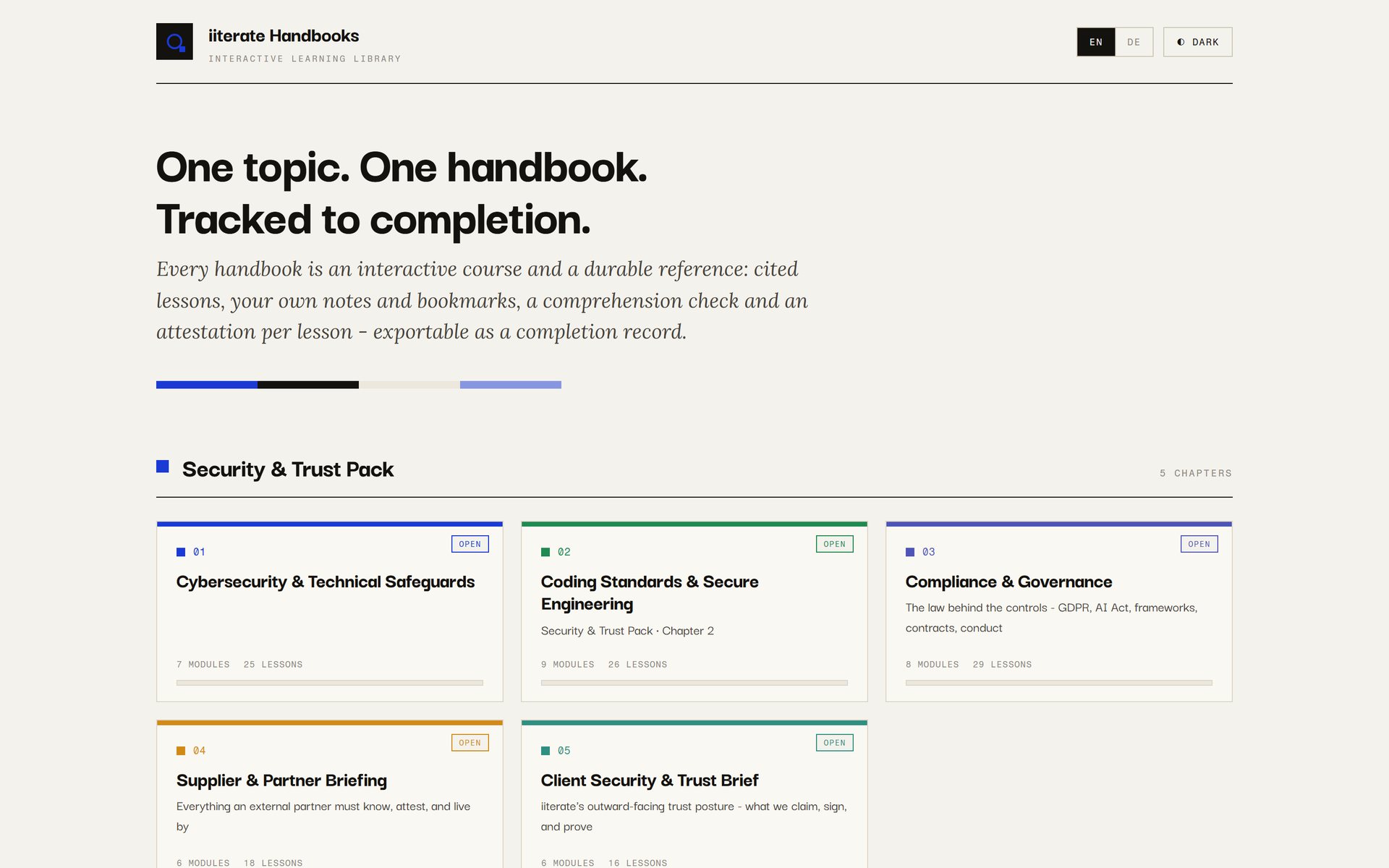
Library home page with a series of five chapters on security and trust, written for our own team. Their contents are internal and not described here.
Why this is published
We sell AI and technical communication. The handbook is the evidence for both on an unglamorous task: turning scattered expertise into material that is structured, names its sources, and whose completion can be shown. The language model does not write into a void; it fills a fixed structure in which a missing source shows up as a gap. Anyone who wants to structure onboarding, internal training or awareness of data protection and information security can see here how we built it for our own team.
Expertise lives in people's heads, in slide decks and in wiki pages that nobody can ever finish. A training session is an appointment; afterwards there is an attendance list and whatever questions were asked in the room. iiterate Handbook turns one complex topic into an interactive learning handbook in German and English. It starts with a mission and an intake: for whom, how deep, in which languages and grounded in which standards and laws. Then come source research, modules in learning order and lessons that share one fixed structure, a glossary and a theme graph that connects recurring concepts across lessons, and a three-pane reader with notes, comments, bookmarks and a completion record. A language model helps draft and structure the lessons; the template requires inline references and a source list, and learners' open questions are collected for the next revision.
The decision
A lesson is finished only when someone has attested to it
A wiki page does not know whether it has been read, and a slide deck rarely says where its statements come from. Both are harmless for general knowledge and become awkward as soon as an organisation has to show that its team knows a rule. The decision at the start was therefore to build every lesson as a tracked unit rather than as a page.
Every lesson ends in a short comprehension check with questions on its content. Only once it is passed can the lesson be attested: a name, the statement that it has been read and understood, and the date. The progress bar in the header counts attested lessons, not opened ones, and a button exports a table from them with name, handbook, module, lesson and date.
Where a mistake has consequences, a due-diligence checklist is added. If it is marked as required, attestation stays locked until every item is ticked. The same rigour applies to references: the template provides for citations right at the section and a source list at the end. The language model fills this structure, and a section without a reference stands out as a gap when reading instead of disappearing into running text.
What this is not belongs here too. The attestation is a self-declaration with a typed name, not a test behind a login, and the check is a short multiple-choice quiz, not an exam. Notes, progress and attestations live in the browser until someone writes them back into the handbook files. There is no user management for many learners.
Nobody can finish a wiki page. A lesson, you can.
From topic to handbook
Six steps, and writing only starts at the fifth
- 01 Intake It is recorded who the handbook is for, which roles exist, how deep it should go, in which languages, which adjacent topics belong in it, where required checklists are needed and which standards and laws are cited. From that comes a proposed map of modules and lessons, approved before any writing.
- 02 Mission A short mission describes what learners should be able to do at the end, why it matters to them, where they start and how to tell that the goal has been reached. Every lesson refers back to it.
- 03 Sources Research ends up in a source table with a trust level and where each source is used. Videos can be transcribed from their subtitles, and supplied documents deepen the matching modules.
- 04 Structure Modules are placed in learning order, because later ones build on earlier ones. Each lesson covers exactly one tightly scoped thing and names the recurring themes it touches.
- 05 Lessons A language model drafts each lesson along the fixed structure, with German and English in the same file. The lesson is a self-contained HTML page that can also be opened and printed outside the reader.
- 06 Build A script reads in all lessons, computes progress and the theme graph and generates the reader as a single file. The library's home page is regenerated each time as well.
What every lesson contains
The reader in three panes
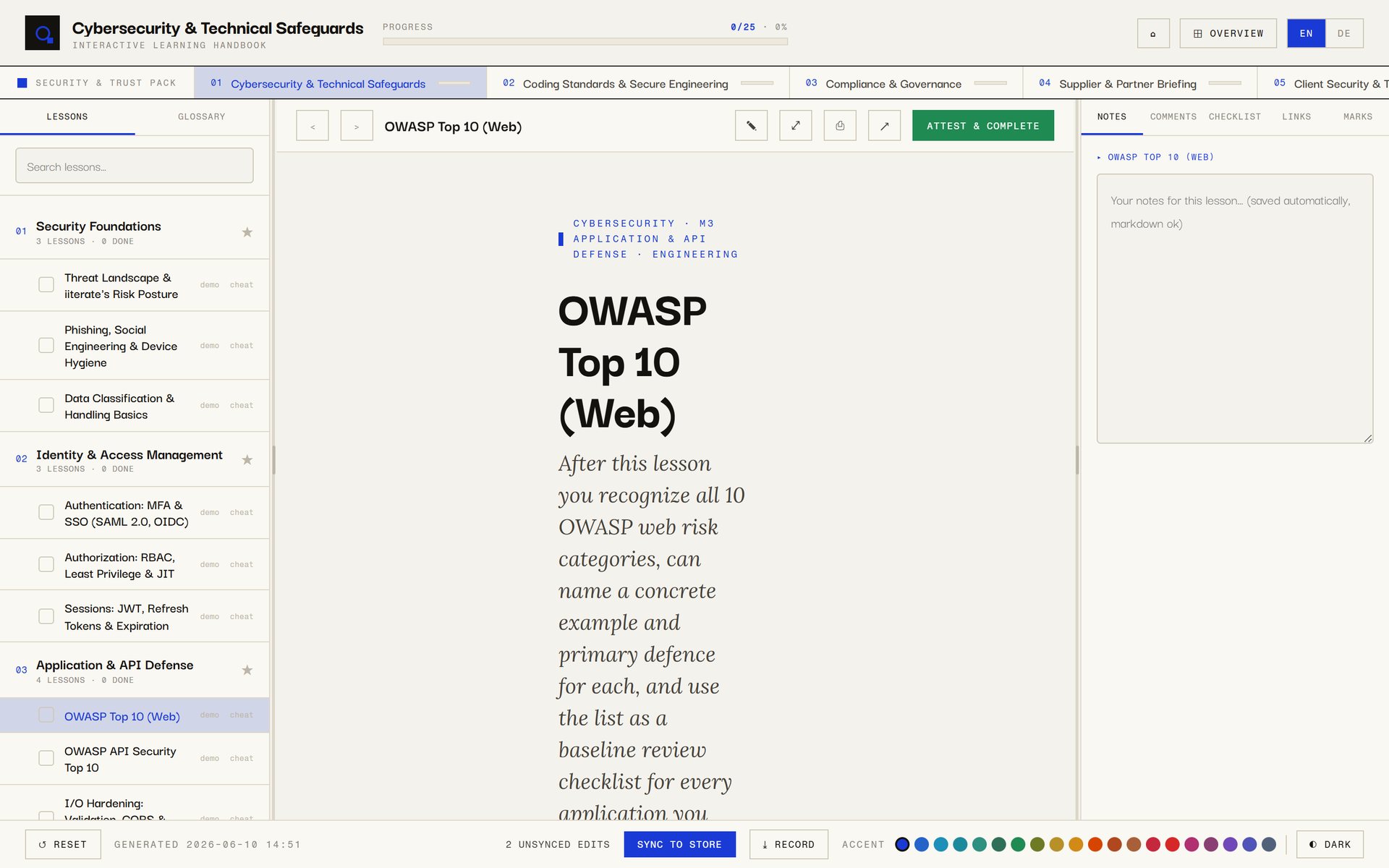
On the left are the lessons by module, with search and a second tab for the glossary. The lesson runs in the centre, and on the right is the workspace for exactly this lesson: notes that save themselves, comments that can be anchored to a highlighted passage, a personal checklist, the lesson's sources together with your own links, and the marks you have set. A bookmark is only created when someone explicitly saves highlighted text.
Focus mode hides both side panes, and printing outputs only the lesson, never the navigation. In edit mode text and margin notes can be changed, passages highlighted and notes moved; these changes become part of the lesson file when written back. The bar at the bottom counts changes that so far live only in the browser, two in this capture.
Recurring concepts connect the lessons
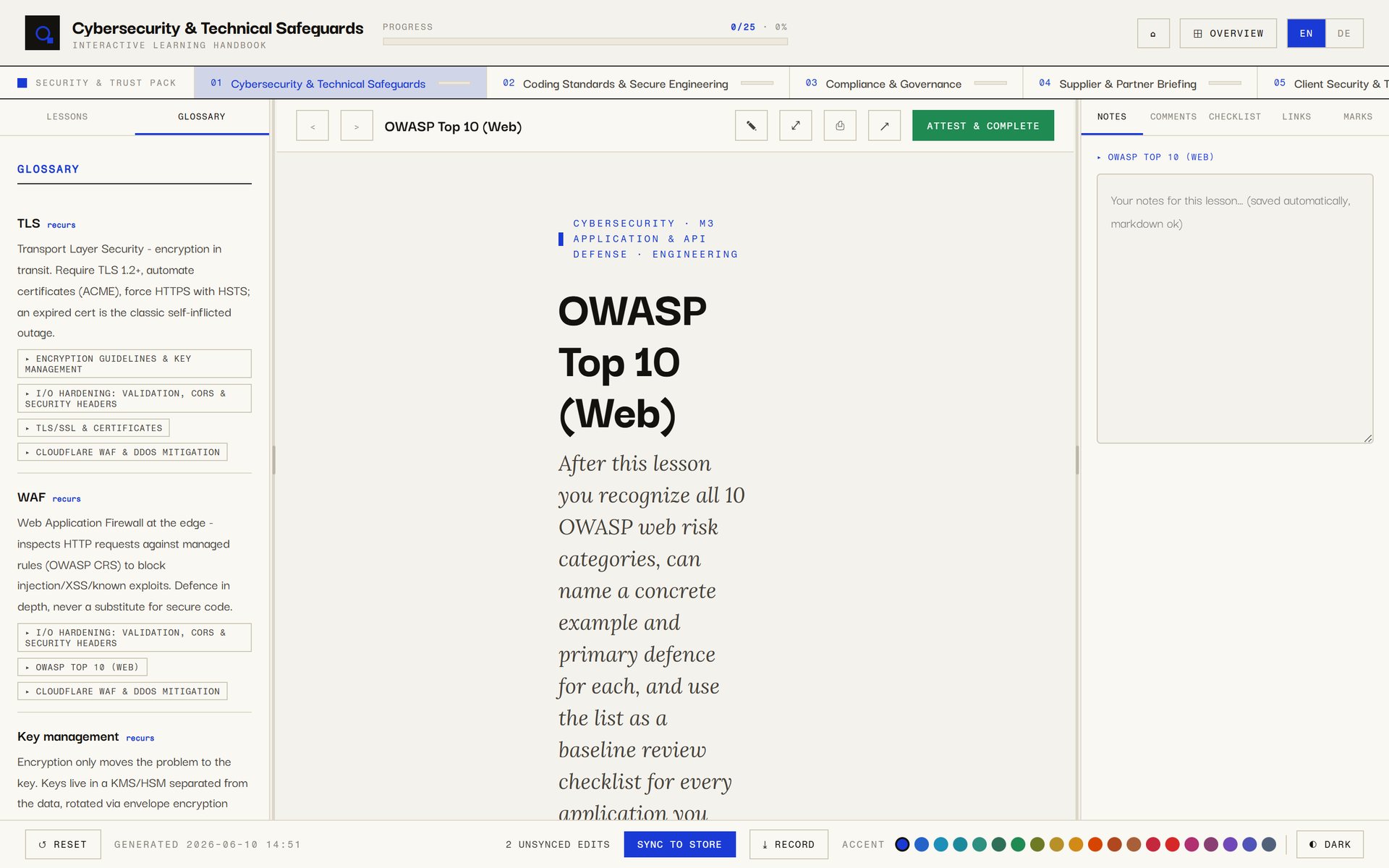
Every lesson names the themes it touches. At build time these form a theme graph: a theme is a glossary term or a concept named by at least two lessons, and it is linked to every lesson in which it occurs. Glossary entries learn automatically which lessons they appear in, even if nobody thought of it while writing.
In the reader the glossary sits to the left of the lesson, each term with a definition in both languages and links to the lessons that use it. The overview shows the same connections as a graph: themes as squares, lessons as dots in the colour of their module, with filters, search and a click that opens the lesson.
This only works if the same thing has the same name everywhere. So the themes of a series are named once and reused verbatim across all chapters; two different names for the same thing produce two themes.
What changes compared with training material
Typical training material
- Slides without sources, or with a list at the end that nobody can match to a statement.
- One language, or two versions that drift further apart with every change.
- An attendance list as the record, but nothing about who has worked through what.
- Questions raised in the session that are lost once the session ends.
- Corrections that end up in a copy and never in the original.
Handbook
- References at the section and a source list per lesson.
- German and English in the same lesson file, switchable in the reader.
- One attestation per lesson with name and date, behind a comprehension check, exportable as a table.
- Open questions per lesson, collected in a list for the next revision.
- Changes to the text that are written back into the lesson file and so apply for everyone.
Library
Series and chapters instead of loose handbooks
One topic stays one handbook. When several topics belong together, they are linked as ordered chapters of a series without one overwriting another. Every handbook in a series gets a chapter bar under its header that jumps to the other chapters, and the library's home page shows each series as a sequence of chapter cards with colour, size and progress, alongside the standalone handbooks and a short interactive guide.
Whether a chapter is already built or only planned is not stored anywhere as a maintained status. It is derived at build time from whether a reader exists for that chapter. A planned chapter therefore shows as planned until it has actually been built, and cannot pass for available by mistake.
The library pictured holds a multi-part series on security and trust, written for our own team. This article shows only one lesson from it, on general knowledge.
Where it fits
- Onboarding new staff into internal ways of working, tools and rules.
- Briefing partners and service providers on the conditions under which they work with data or systems.
- Awareness of data protection and information security where it should be recorded who has attested which lesson.
- Handing a software project over to the team that will run it, with lessons on its structure and procedures.
- Workshop companion material that remains usable as a reference after the session.
Image credits: every image is a screenshot of our own application. The OWASP Top 10 is a project of the OWASP Foundation; the lesson shown is our own teaching material about it.
Why this is published
What this means for your project
More from the lab
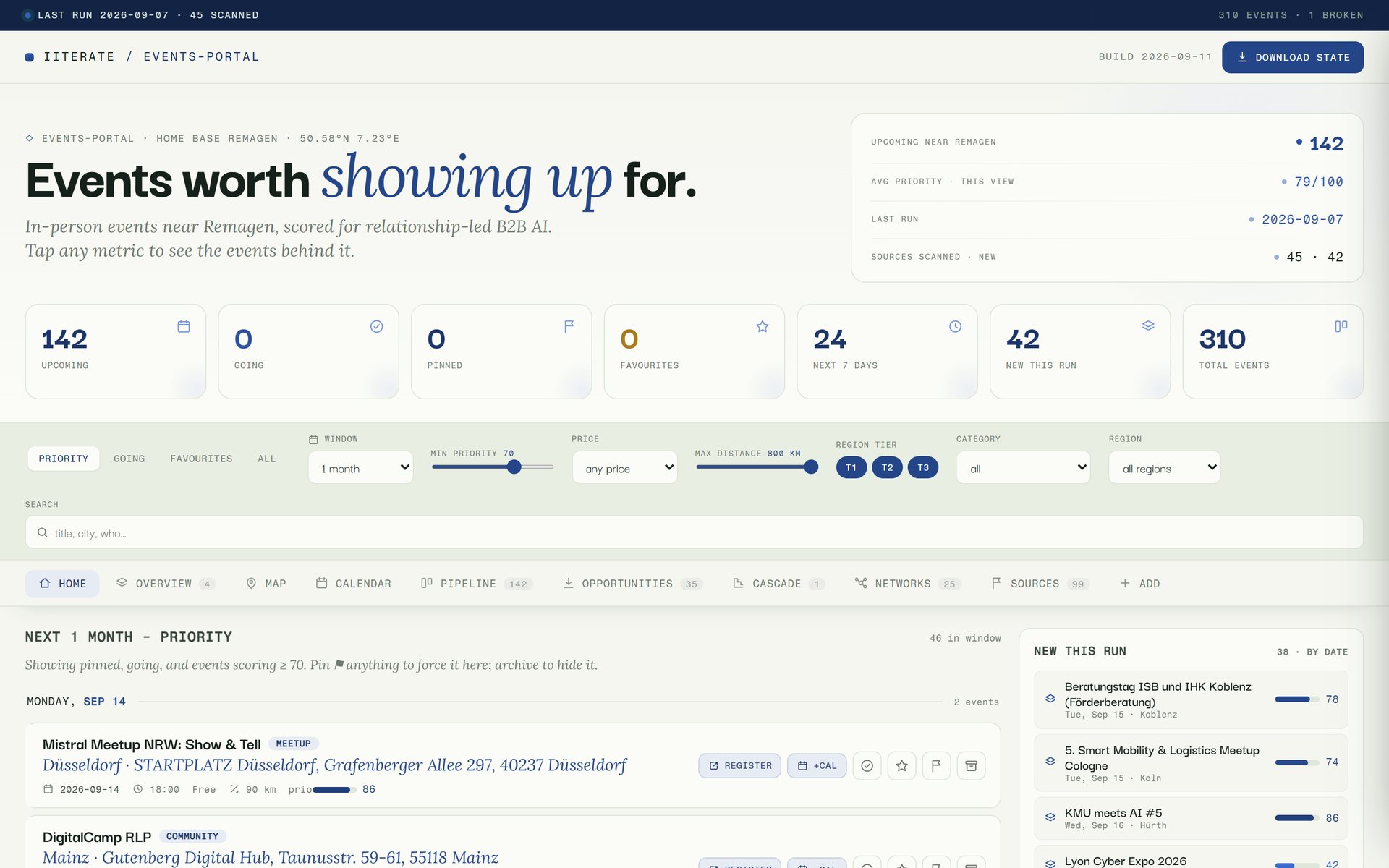 Method Event Scout A language model reads the event pages; everything else is fixed code. What remains is a short list of where a day in person is worth it.
 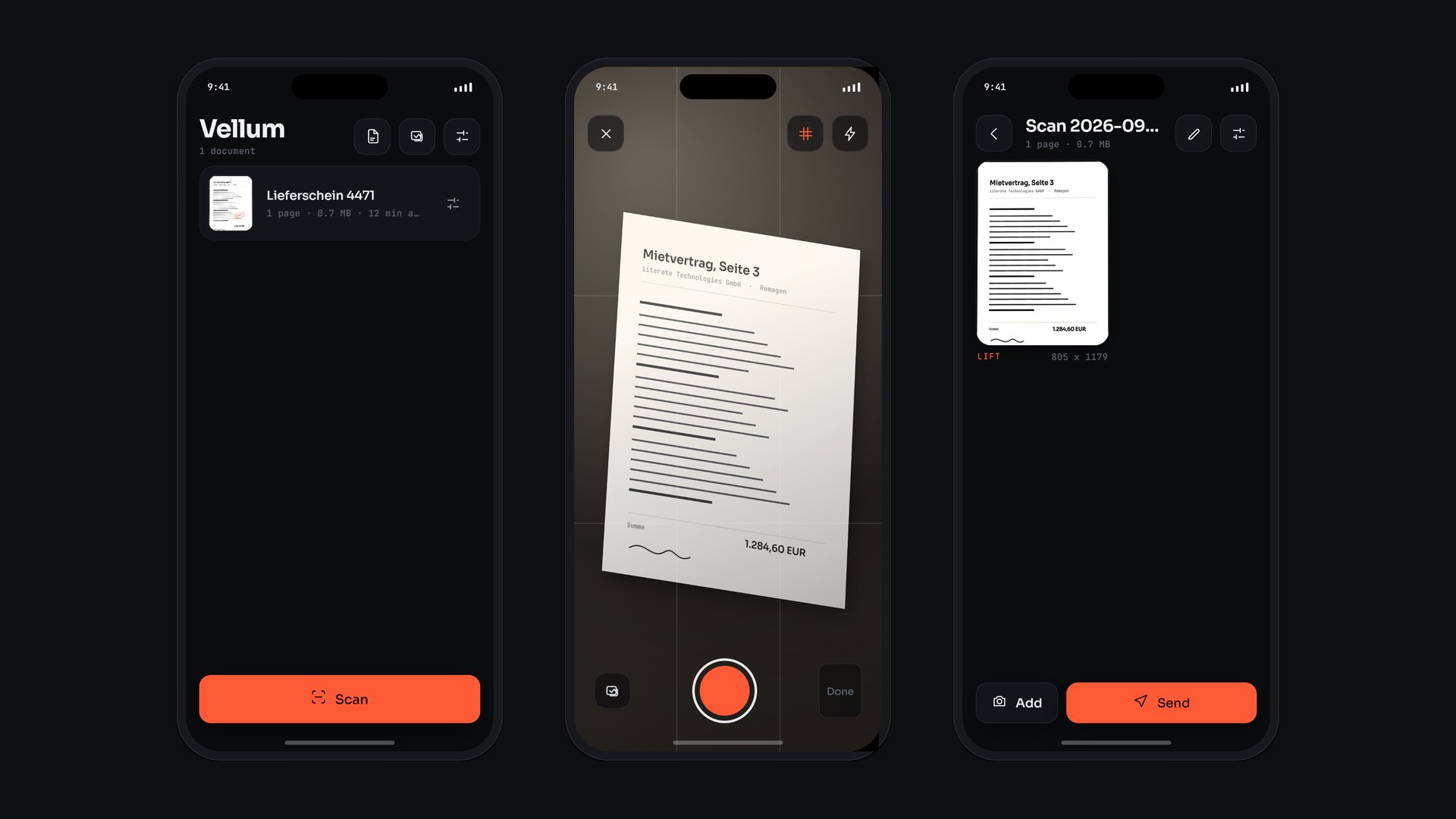 Applied Research Vellum Edges, perspective, light and text are all worked out on the phone. A document leaves the device only when someone sends it.
 Does knowledge in your organisation live in heads and slide decks that every new person has to ask about again? That is exactly what a pilot is for.
Get in touch